
// PROD-MAIL · Corporate E-Mail
DIJIMAIL
Your E-Mail, Smarter
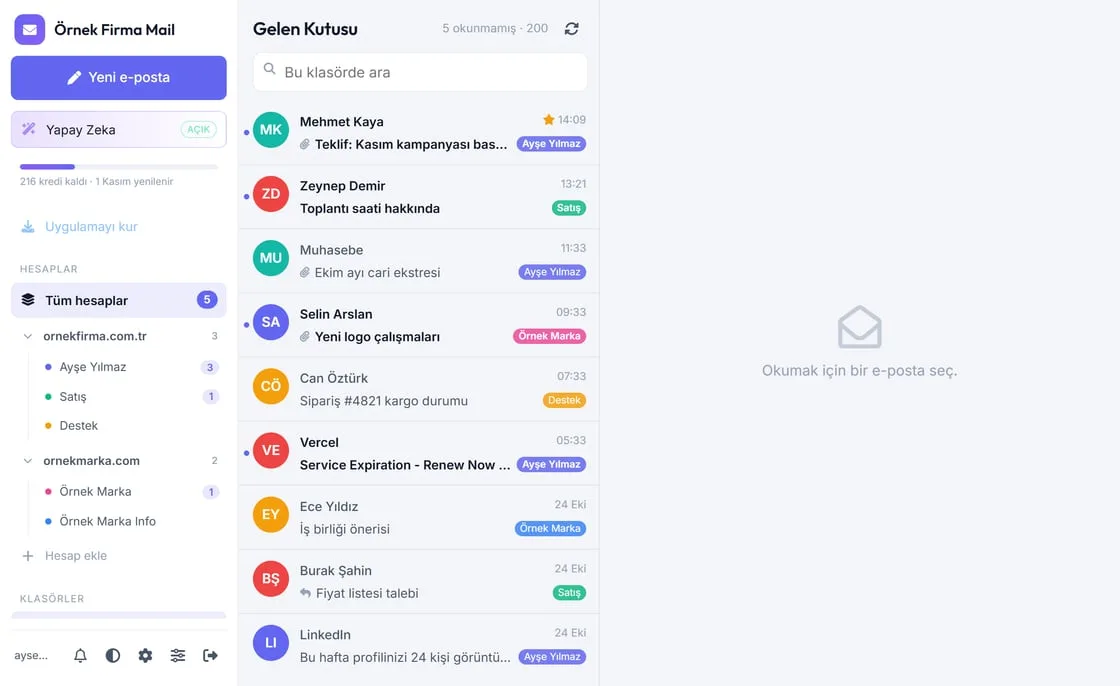
Corporate e-mail on your own domain, with a mail panel that works in the browser and on your phone. All your accounts on one screen; AI summarizes, evaluates offers, drafts replies, warns you about fake e-mails and plans your day with the built-in calendar.
Sign in at mail.yourdomain.com with your e-mail address and password. The panel and calendar come with your corporate e-mail; every company also gets 300 AI credits a month, free for the first 3 months.
Everything Your Inbox Needs
One panel for reading, writing, planning and protecting your e-mail, with an assistant that saves you time every day.
All Accounts in One Panel
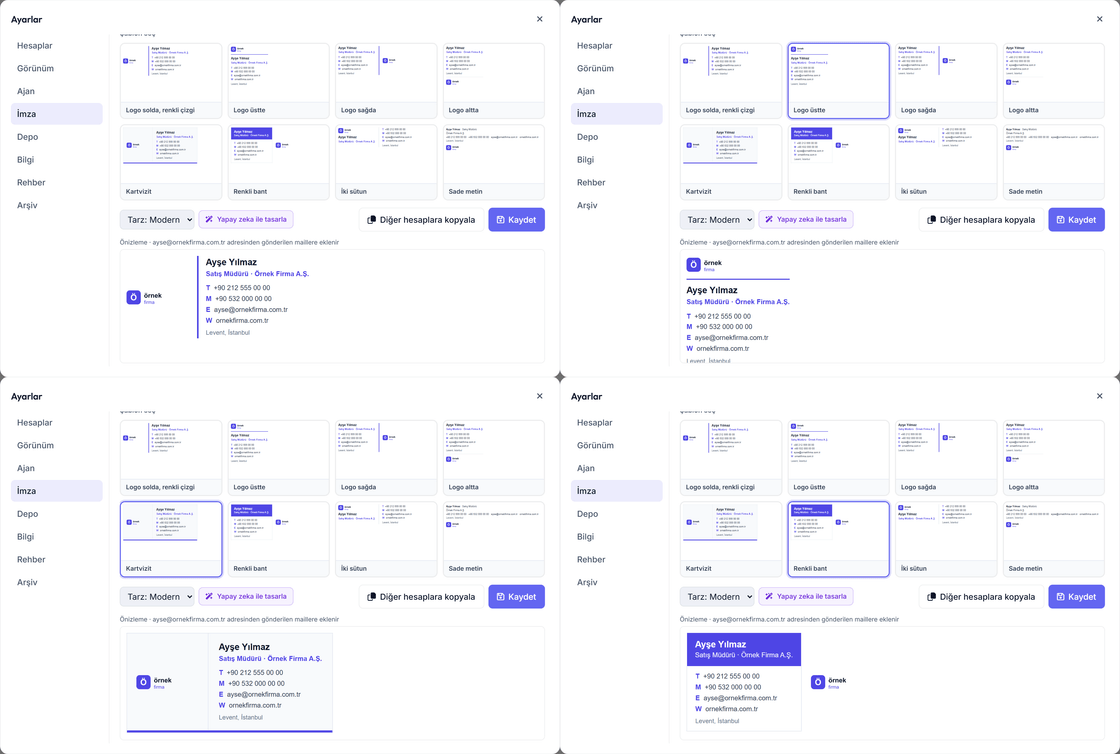
Add mailboxes from different domains and read them all in one place. Accounts are grouped by domain, each with its own colour and signature; you choose the sending address when you write.
One-Click Summary, Attachments Included
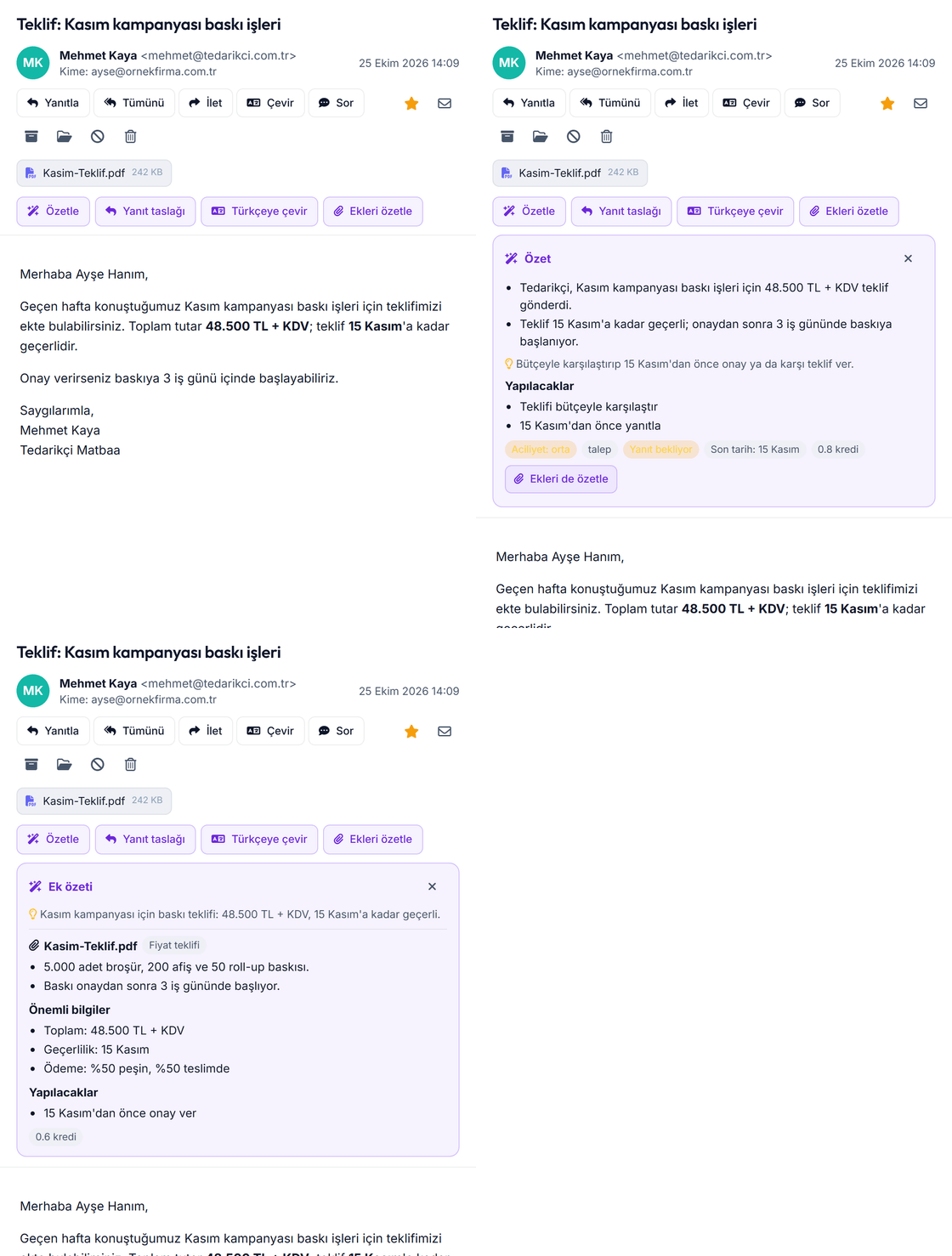
Press "Summarize" instead of reading a long e-mail: what is being asked, key dates and amounts, and what you need to do. PDF, Word and Excel attachments are summarized without opening them.
Assistant That Knows Your Mail
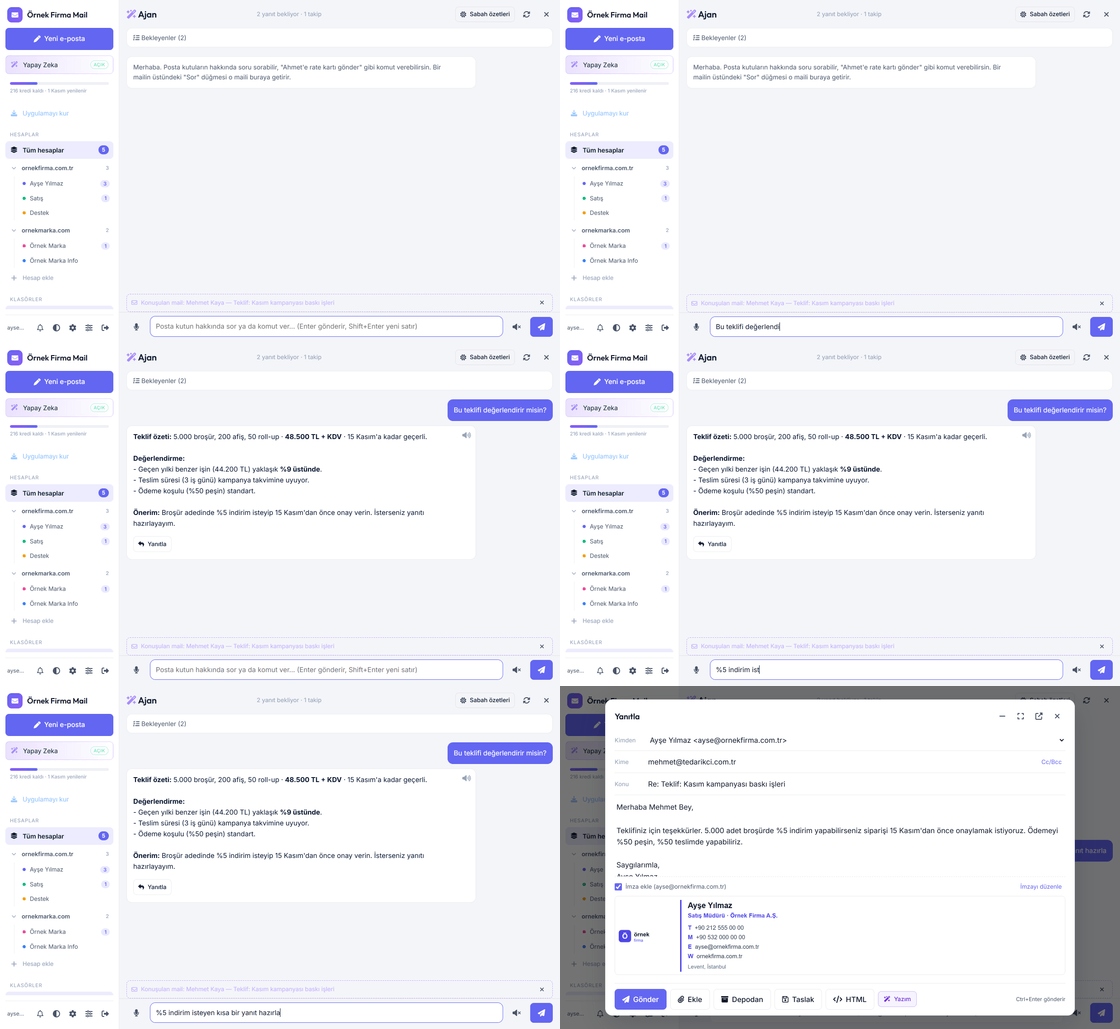
Ask "Can you evaluate this offer?" on any e-mail. The assistant extracts the amount, terms and timeline, compares with similar past work and prepares a reply draft for you to check and send.
Send on Time, Never Forget a Follow-Up
Schedule an e-mail for later; what you write after hours goes out when your working day starts. If no reply arrives, DijiMail sends a polite reminder for you and stops as soon as they answer.
Search That Finds It
Type without Turkish characters and still find them; part of a word is enough. Searches the message text, people and the inside of PDF, Word and Excel attachments, and highlights the match.
Calendar, Meetings and Notes
Monthly, weekly and hourly calendar, meeting invitations that work with Outlook and Gmail, public holidays, notes and lists. Add your free slots to an e-mail and let the other side pick one.
Phishing & Spam Protection
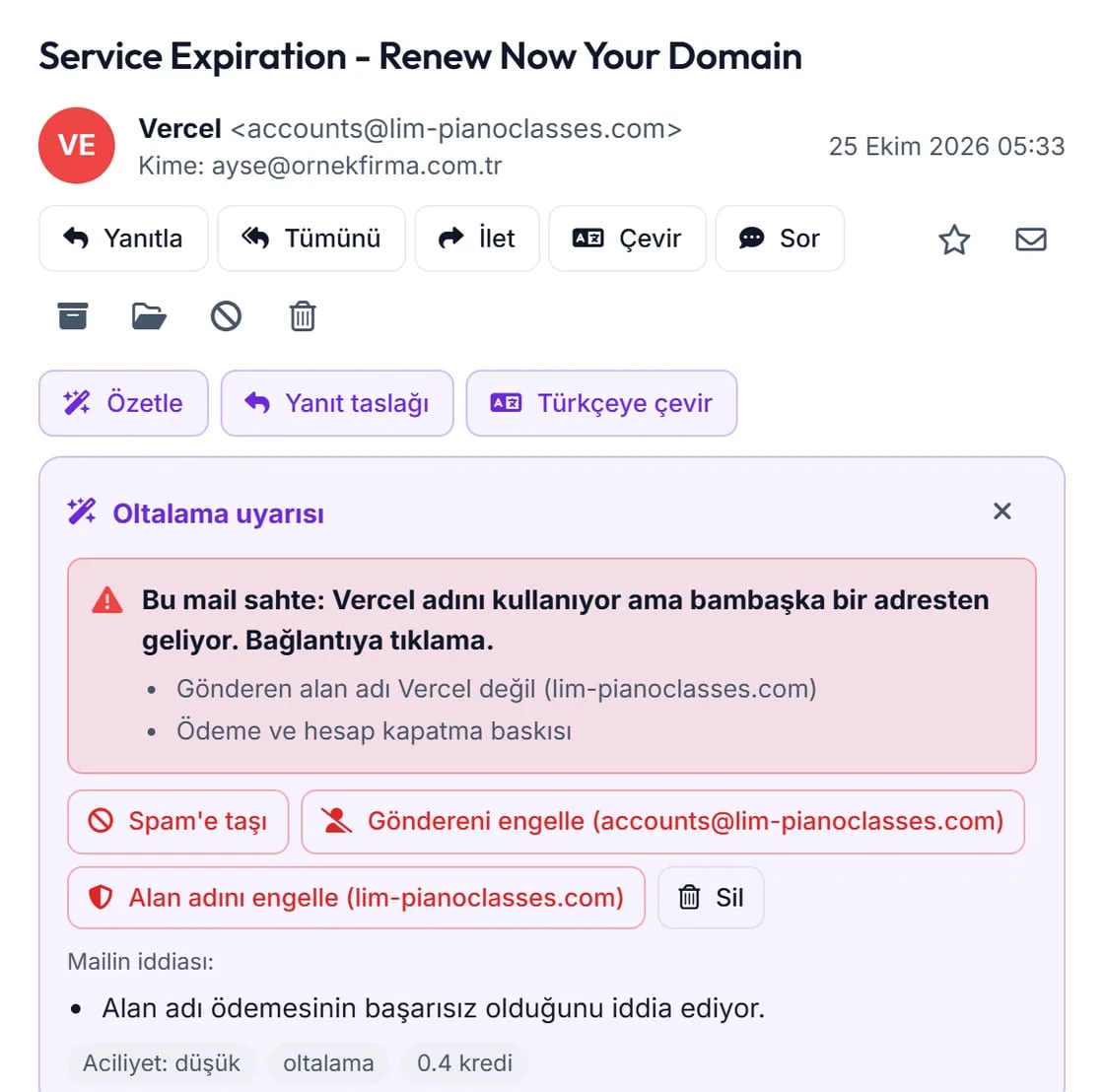
Recognizes fake e-mails pretending to be a bank, courier or service provider and explains why. Move to spam, block the sender or the whole domain in one click, and unsubscribe from newsletters in one click.
Works Like an App on Your Phone
Open the address on your phone and add it to the home screen: DijiMail opens like an app and notifies you of new mail. You can even have a reply draft prepared from the notification. No download needed.
All Features
Everything below comes with your DijiMail panel. New features are added here as soon as they are released.
✍️ Writing and Sending
- Scheduled sendingSchedule an e-mail for any day and time; it goes out on time even when your computer and phone are off.
- Working hoursE-mails written after hours go out when your next working day starts. Public holidays, half days and your leave days are skipped.
- Undo sendChanged your mind? You have 10 seconds after pressing Send; the e-mail comes back to the editor as it was.
- Automatic follow-up if there is no replySet a reminder such as "every 2 working days" before sending. AI rewrites each reminder in the tone of your first e-mail; the rest are cancelled when they reply.
- Rich text and imagesBold, italic, lists, colour and links; paste images right into the text.
- Add my free slotsYour free times, based on your calendar, go into the e-mail as clickable links. The other side picks one and the meeting lands in both calendars.
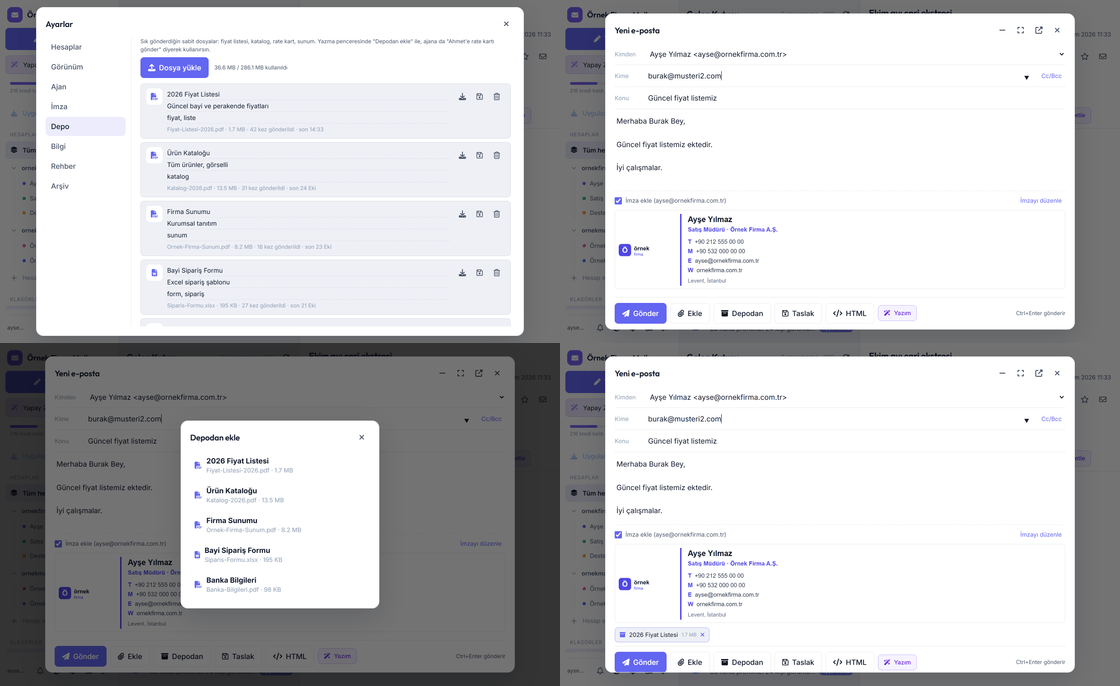
- Large files as a linkFiles over 20 MB do not fit in an e-mail; DijiMail sends them as a download link valid for 30 days and shows how many times they were downloaded.
- TeamsType "Accounting" and team members are placed into the To, Cc and Bcc lines automatically.
- Forgotten attachment warningIf you write "attached" but forget the file, it asks before sending.
- Two ways to forwardForward an e-mail with its original layout and edit it, or send it unchanged as an attachment.
- Unfinished e-mails are never lostWhat you write is saved as a draft automatically; continue on another device.
📬 Reading and Organizing
- Advanced searchAccents and capital letters do not matter, part of a word is enough. Search the subject, text, people or inside attachments (PDF, Word, Excel); matches are highlighted.
- SortingBy date, sender, recipient, subject or size; find the biggest e-mails when your mailbox fills up.
- Conversation viewIncoming and outgoing e-mails on the same subject in one row, in order when opened. Turn it on or off.
- Rules and coloured labelsRules like "move e-mails with invoice in the subject to Accounting and add a red label" run on the server, even when the app is closed.
- Remind me laterSet a reminder for an e-mail in one hour or tomorrow morning; it stays in your inbox and you get a notification.
- Undelivered mail warningIf a message you sent bounces, it appears in red at the top of Sent with the reason.
- One-click unsubscribeLeave a newsletter with the button above it, and block the sender if you like.
- Translate and printTranslate a foreign-language e-mail into Turkish without breaking its layout; print it or save as PDF.
📅 Calendar and Planning
- Calendar and meetingsMonthly, weekly and hourly views; invitations that work with Outlook and Gmail, accept / maybe / decline replies, reminders.
- Public holidays and leave daysShown in the calendar; working hours and reminders skip them.
- Add an e-mail to the calendarAI extracts the task, date and time from an e-mail and prepares a task, meeting or reminder for you to confirm.
- Notes and listsTo-do lists and notes; the assistant can add and tick items too.
🤖 Artificial Intelligence
- Summary and reply draftA summary of the e-mail and its attachments; a reply draft that keeps the thread, opened in the reply window in one click.
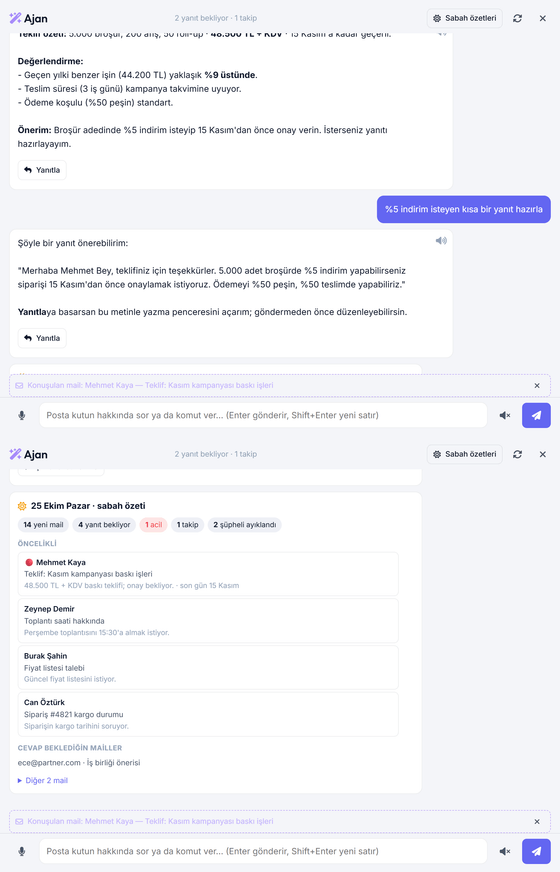
- Morning briefingEvery morning at your chosen time: what awaits you today, what is left from yesterday, and the replies you are waiting for.
- Drafts from notificationsPress "Prepare draft" on the phone notification; the reply is prepared without opening the app.
- Read aloud and voice typingListen to answers in a natural voice, dictate your questions.
- Nothing happens without youThe assistant prepares drafts and suggestions; sending, deleting and blocking always need your button.
🔒 Security and Privacy
- Phishing and spam protectionSuspicious e-mails are flagged with the reason; optionally every new e-mail is scanned automatically.
- Out-of-office auto-replyEnter your leave dates and people who write to you get an automatic reply; once every 4 days per person, never to newsletters.
- ArchiveMove old e-mails to the archive to free up space; they stay searchable and readable.
- No read trackingWe never track your recipients with hidden pixels, and read-receipt requests are quietly ignored.
See It in Action
DijiMail vs. a Classic Mail Program
| Criterion | DijiMail | Classic desktop mail program |
|---|---|---|
| Installation | Nothing to install. Works in the browser and on the phone home screen. | A desktop program must be installed and configured on every computer. |
| Multiple domains | All mailboxes on different domains in one unified inbox. | Each account is set up separately; switching between them is manual. |
| AI support | Summary, reply draft, offer evaluation and morning briefing built in. | Usually not available, or requires a separate paid subscription. |
| Calendar & tasks | Calendar and task planner in the same panel; e-mails become tasks. | Separate calendar app; e-mails and tasks stay disconnected. |
| Mailbox space | Old e-mails are archived automatically, remain searchable and readable. | Mailbox fills up; old e-mails are deleted or stuck on one computer. |
Simple, Transparent Pricing
Per pack of 5 addresses and 5 GB, + VAT. The DijiMail panel and calendar are included.
300 AI credits every month for summaries, reply drafts, the assistant, morning briefing and protection.
Monthly AI packages or one-off extra credits, + VAT. Without a package, the mail panel keeps working.
Frequently Asked Questions
No. DijiMail works in any browser at mail.yourdomain.com and like an app on your phone. If you still want to use a desktop program or your phone's mail app, your addresses keep working there as well.
No. The DijiMail panel and calendar are included in the corporate e-mail pack fee (100 TL per pack of 5 addresses per month + VAT). Only AI usage beyond the gift period is billed separately.
Each company gets 300 AI credits per month, free for the first 3 months. Credits are used according to the length of the work: a short summary or reply draft usually takes a few credits, long attachments take more. After the gift period you can continue with a monthly AI package or buy extra credits; without a package, the panel keeps working and only the AI features pause.
No. The assistant only prepares drafts and suggestions. Sending, deleting and blocking are always done when you press the button. Text inside e-mails is treated as data, never as an instruction.
Yes. Migration of existing mailboxes and SPF/DKIM/DMARC setup are included in the corporate e-mail service.
Move Your E-Mail to DijiMail
We set up your addresses, move your existing mailboxes and open the AI features for you. Contact us for a live demo.
Request Live Demo